Dashboards that stay up
Any dashboard, full screen, for weeks on end. PleatView signs in by itself, rotates between dashboards, and recovers from Wi‑Fi drops, Home Assistant restarts and browser crashes.
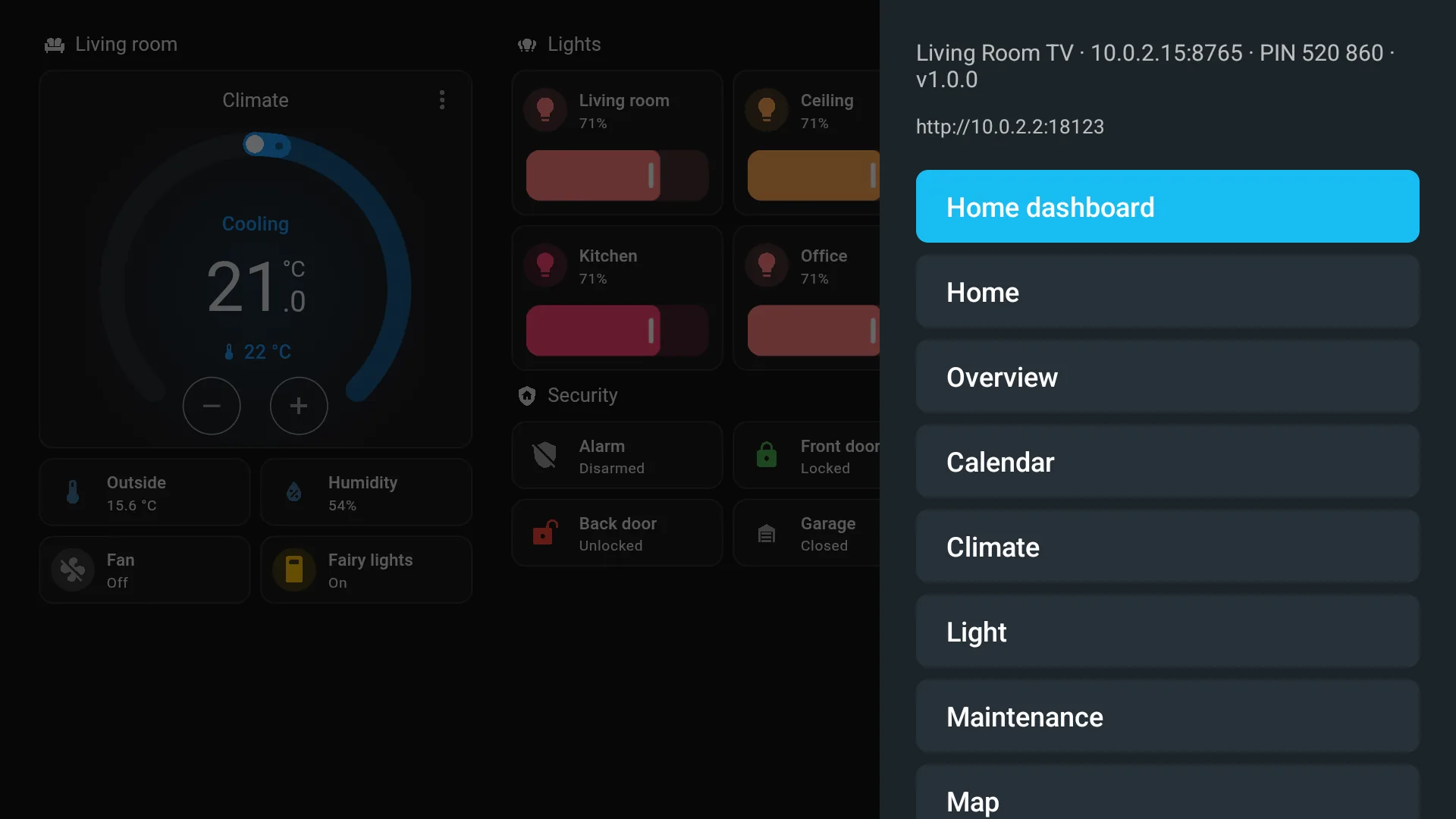

PleatView turns a Google TV, Android TV or Fire TV into a display for your home. Your dashboards stay on screen around the clock, and Home Assistant can put cameras, video and notifications on top.
Made by HustlesmanMIT licensedHome Assistant 2025.1 to 2026.11
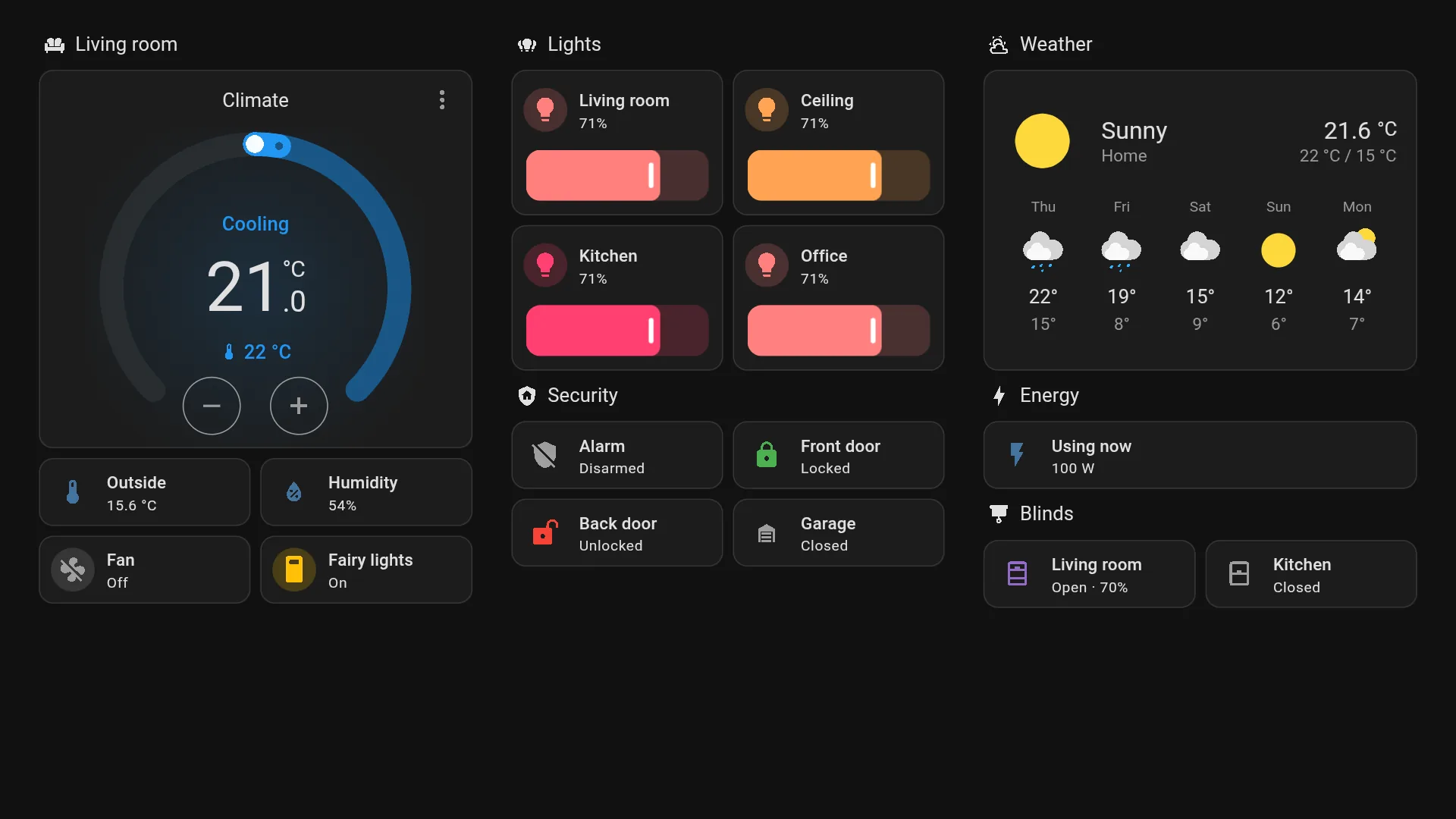
The TV joins Home Assistant as a media player and a notifier, ready for your automations.
Any dashboard, full screen, for weeks on end. PleatView signs in by itself, rotates between dashboards, and recovers from Wi‑Fi drops, Home Assistant restarts and browser crashes.
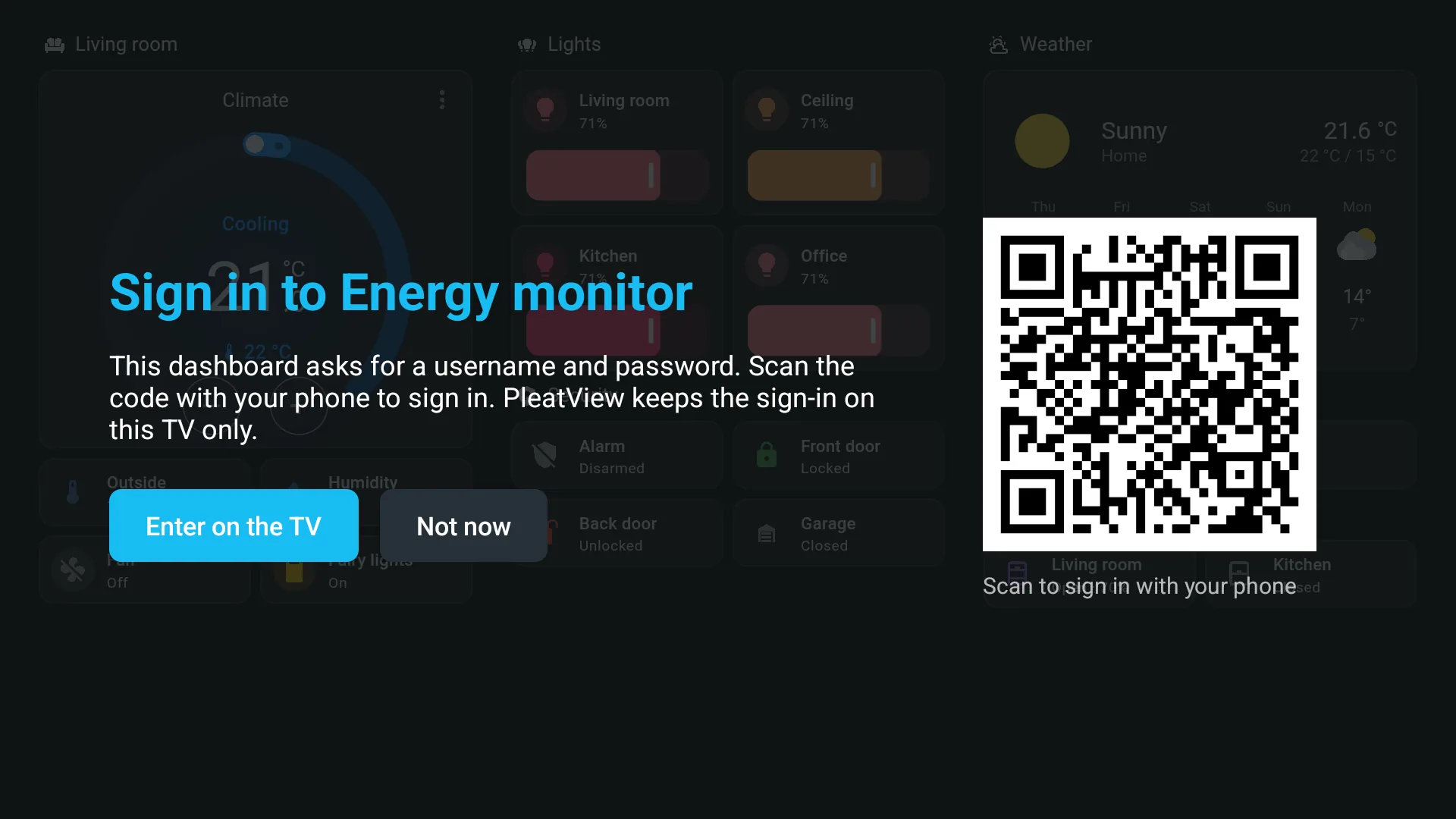
A Grafana, NAS or router page asks for a password? The TV shows a code. Scan it, sign in on your phone with your password manager, and the TV remembers it, encrypted on the TV only.
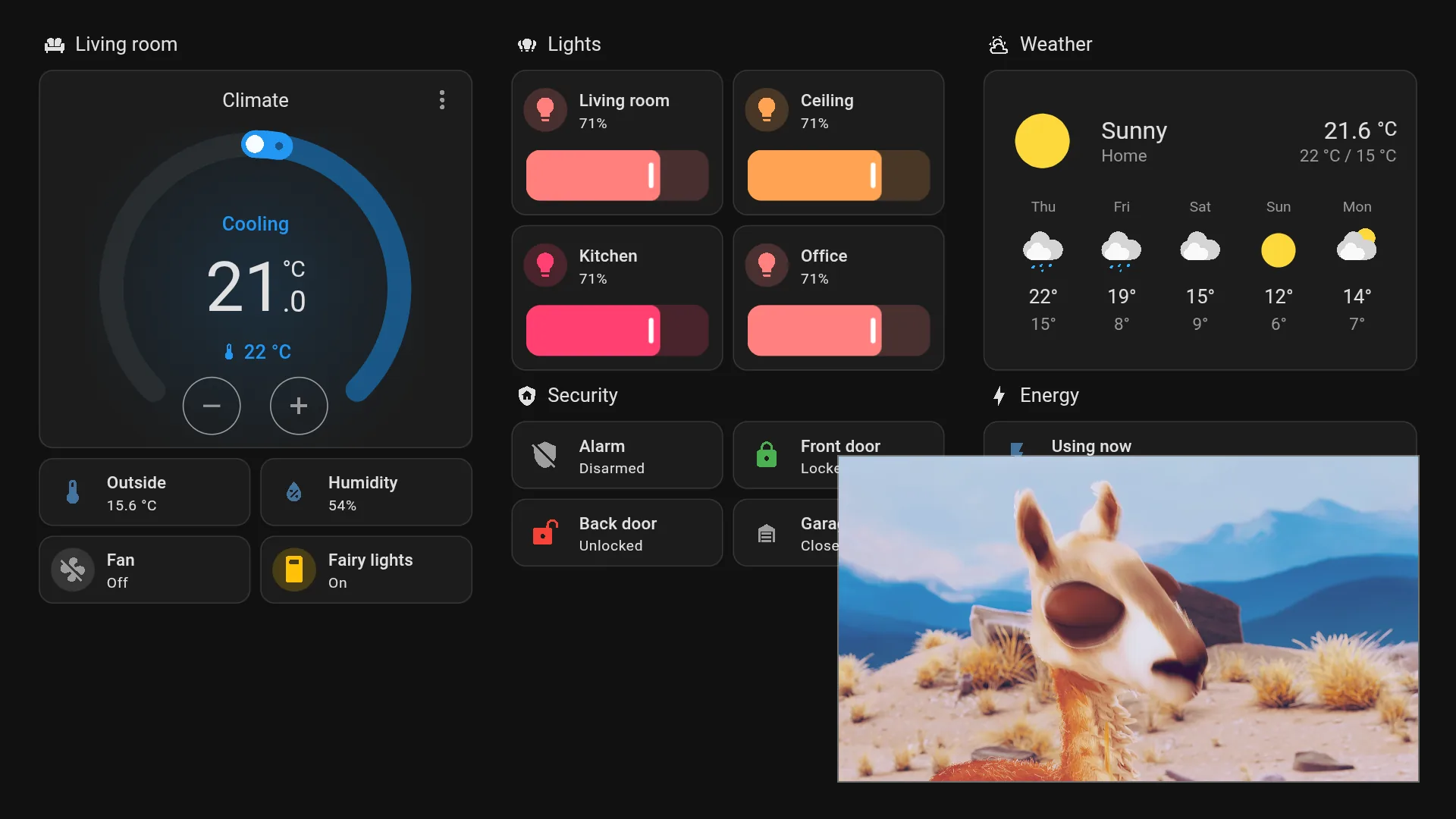
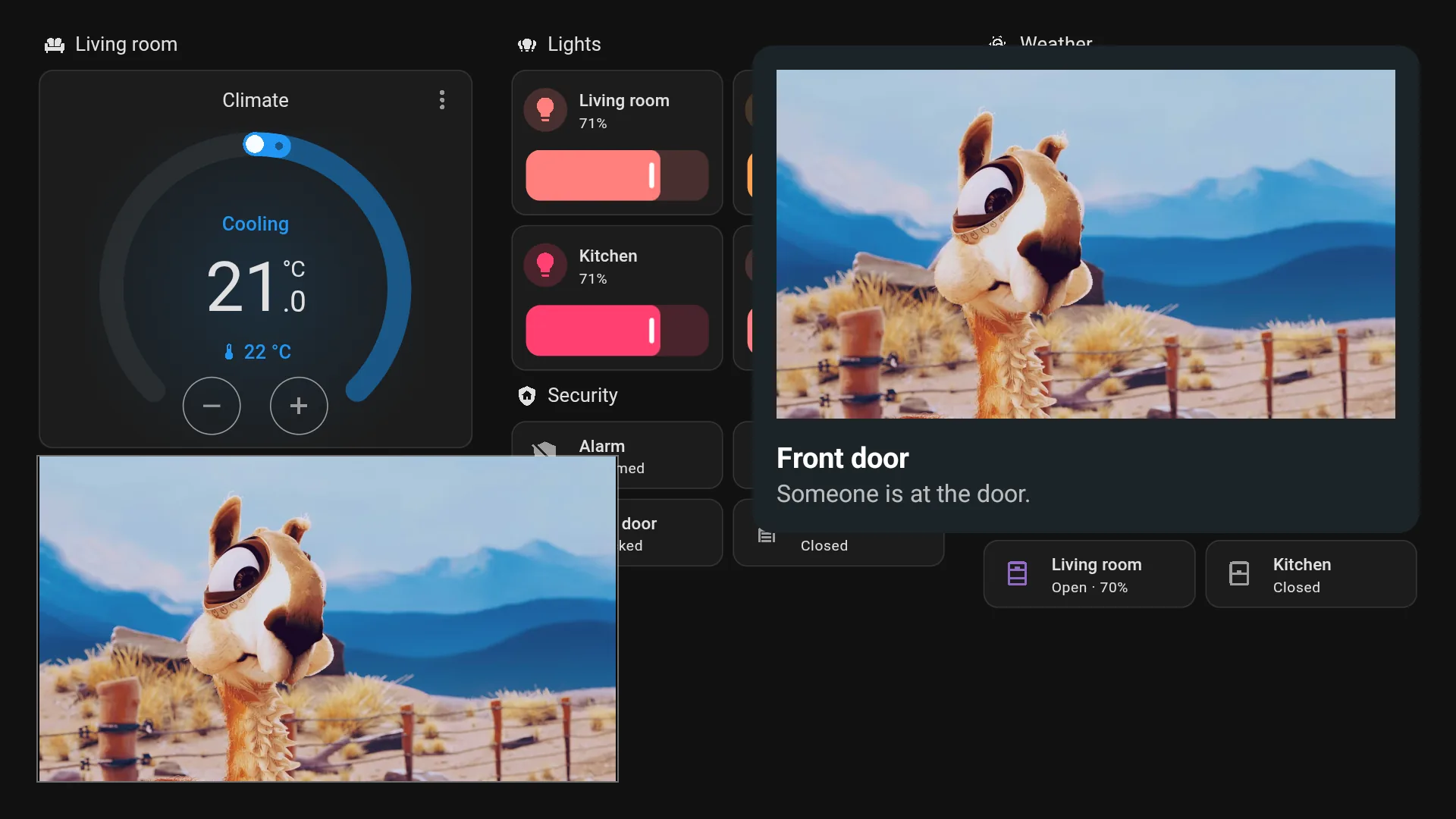
Cast from Home Assistant's media browser, full screen or picture-in-picture. Pop up a camera when the doorbell rings.
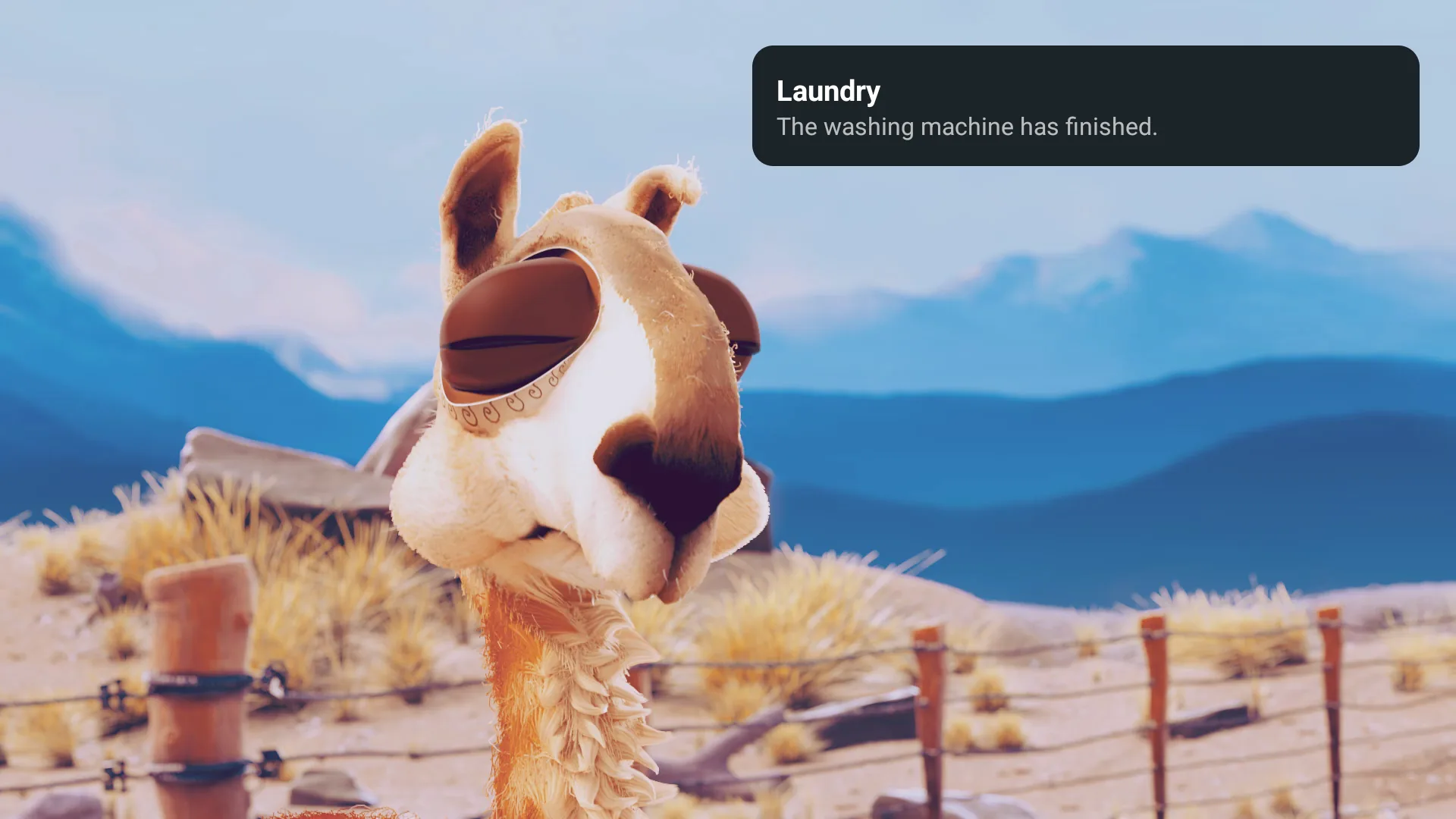
notify.send_message puts a card on screen over whatever is on, with a picture or a camera snapshot if you like.
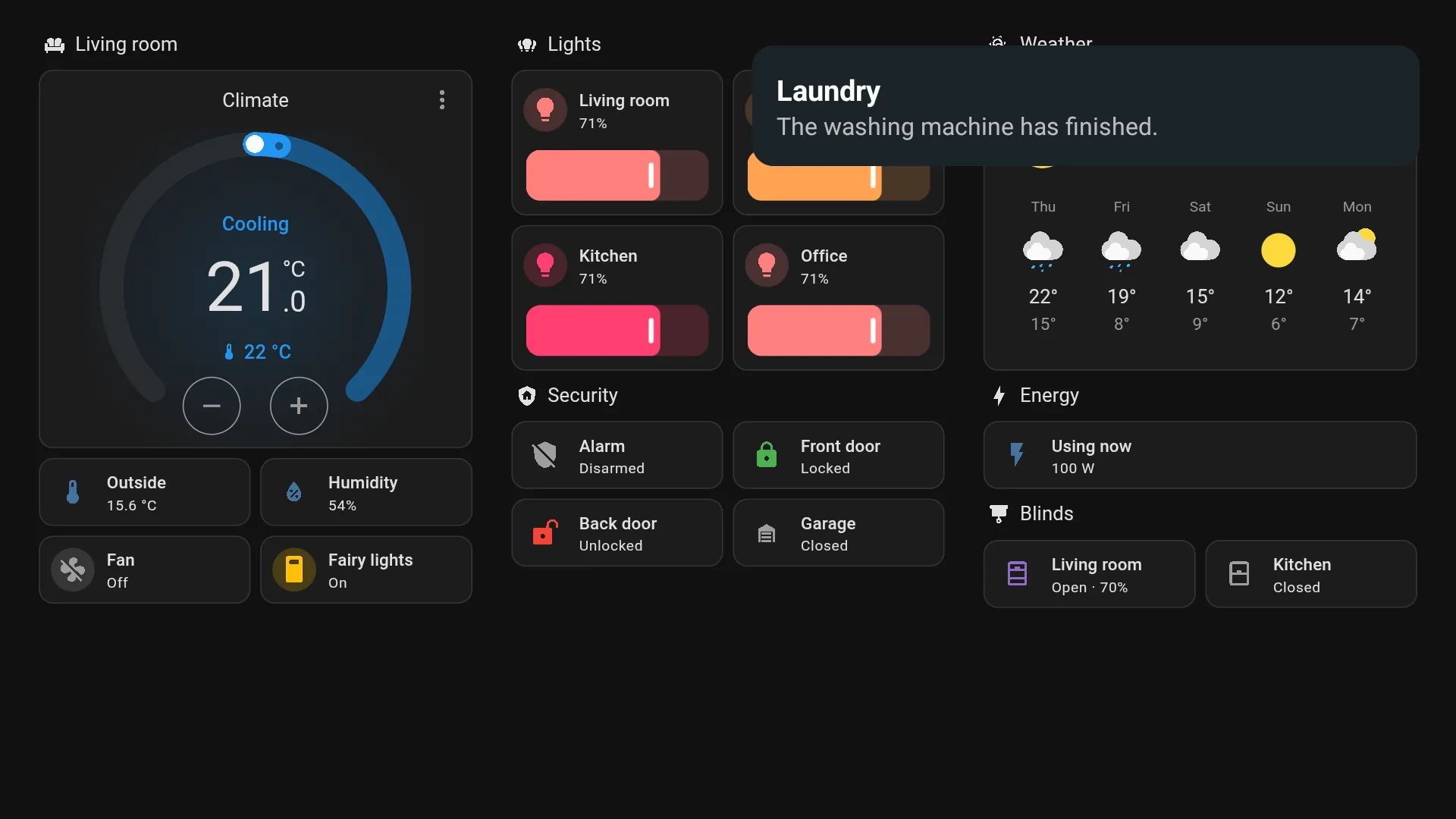
Add a Webpage dashboard in Home Assistant, for Grafana, UniFi or OpenSearch. The TV opens the site itself and zooms it to fit, so sites that refuse frames still work.
tts.speak plays over whatever is on and turns it down meanwhile, so "the front door is open" interrupts the film, not the other way round.
Channel up and down switch dashboards, Back closes pop-ups, and the menu needs no keyboard. Setup ends at a six-digit PIN.
Things Home Assistant users ask for on the forums, and the automation that does each with PleatView. Copy one, then change the entity names to yours.
When the doorbell rings, the door camera opens in a corner of the TV and a card shows who's there. Over a film or another app, the card still appears.
triggers:
  - trigger: state
    entity_id: binary_sensor.doorbell
    to: "on"
actions:
  - action: pleatview.notify
    target:
      entity_id: media_player.living_room_tv
    data:
      title: Front door
      message: Someone is at the door.
      camera: camera.front_door
  - action: pleatview.show_camera
    target:
      entity_id: media_player.living_room_tv
    data:
      camera: camera.front_door
      position: bottom-left
duration: 60A smart plug sees the machine stop, and a card says so over whatever you're watching. Any automation can send one with notify.send_message.
triggers:
  - trigger: numeric_state
    entity_id: sensor.washing_machine_power
    below: 5
    for: "00:02:00"
actions:
  - action: notify.send_message
    target:
      entity_id: notify.living_room_tv
    data:
      title: Laundry
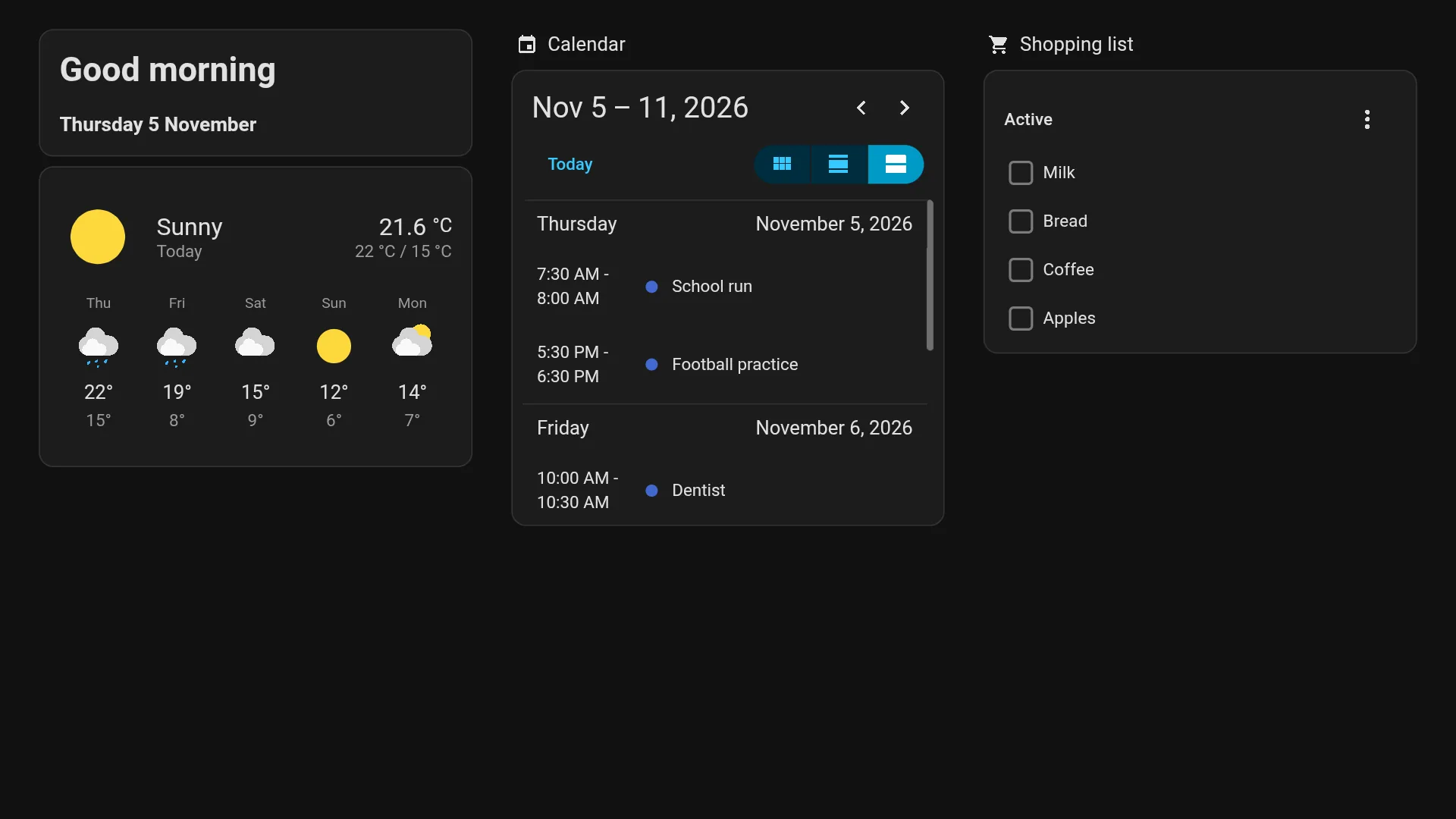
message: The washing machine has finished.Today's calendar, the weather and the shopping list from 7 to 9, then back to your usual dashboard. Custom cards work too: the TV runs Home Assistant's full frontend.
triggers:
  - trigger: time
    at: "07:00:00"
actions:
  - action: pleatview.show_dashboard
    target:
      entity_id: media_player.living_room_tv
    data:
      path: /dashboard-morning
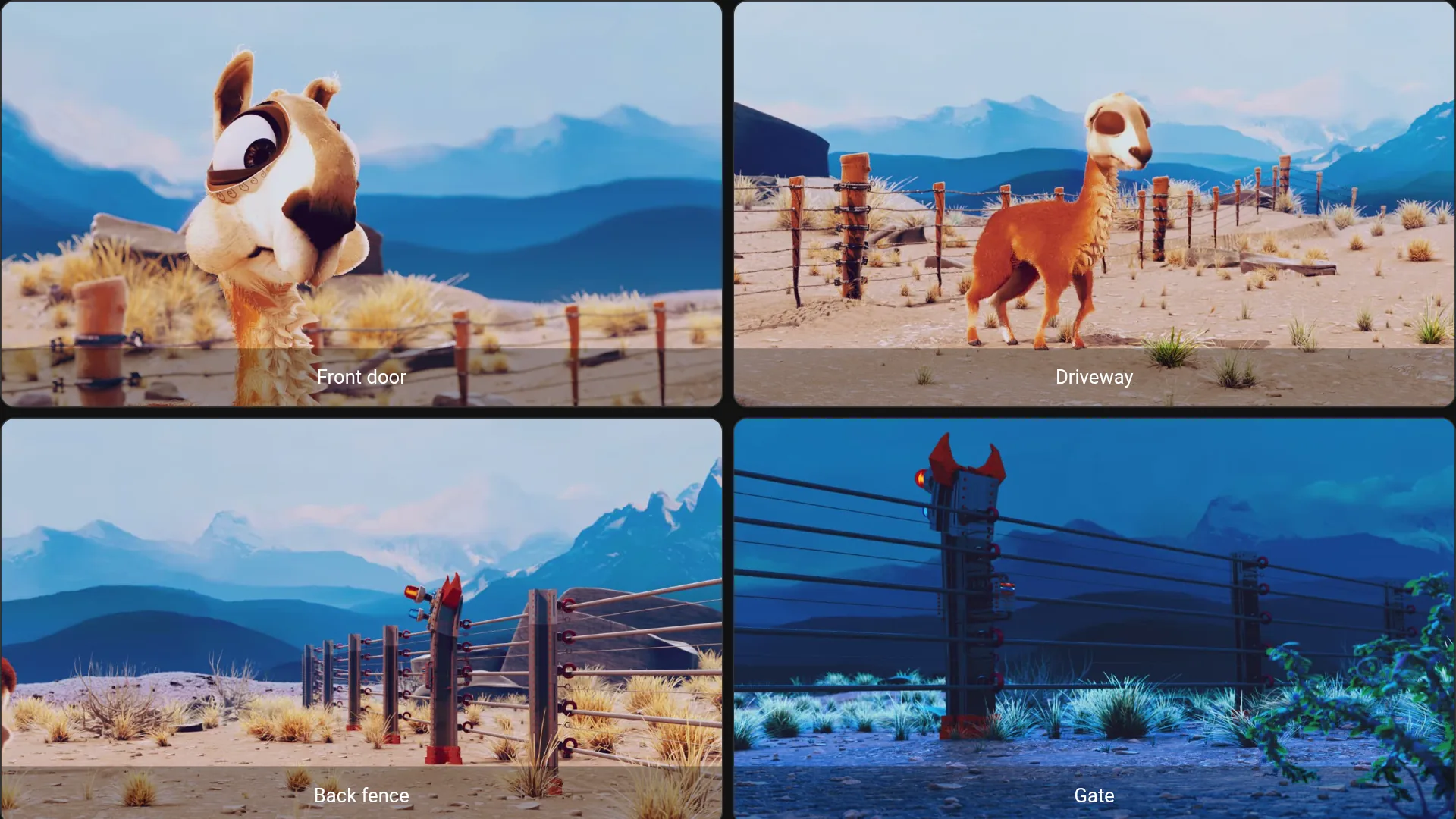
duration: 7200Your cameras on a dashboard of their own, on a spare TV all day, or on the main one when there's motion outside at night.
triggers:
  - trigger: state
    entity_id: binary_sensor.driveway_motion
    to: "on"
conditions:
  - condition: sun
    after: sunset
actions:
  - action: pleatview.show_dashboard
    target:
      entity_id: media_player.living_room_tv
    data:
      path: /dashboard-cameras
duration: 120An Android tablet on the wall turns its screen on when someone walks up and off when they leave. Its battery sensor can also switch a smart plug, so it charges only between 20 and 80 %.
triggers:
  - trigger: state
    entity_id: binary_sensor.hallway_motion
    to: "on"
    id: "on"
  - trigger: state
    entity_id: binary_sensor.hallway_motion
    to: "off"
    for: "00:05:00"
    id: "off"
actions:
  - action: media_player.turn_{{ trigger.id }}
    target:
entity_id: media_player.hallway_tabletSolar production by day and what each circuit uses at night, on a TV in the kitchen or office. Two automations at sunrise and sunset switch the dashboard.
triggers:
  - trigger: sun
    event: sunset
actions:
  - action: pleatview.show_dashboard
    target:
      entity_id: media_player.living_room_tv
    data:
path: /dashboard-circuitsNo computer needed. It takes about five minutes.
On the TV, install the free Downloader app from its app store, open it and enter this address. Android asks once to allow the install.
On Home Assistant 2026.11 and later it comes from the built-in Marketplace, on older versions from HACS. Install it, then restart Home Assistant.
Open PleatView on the TV. Home Assistant finds it under Settings → Devices & services: choose Add and type the PIN from the screen.
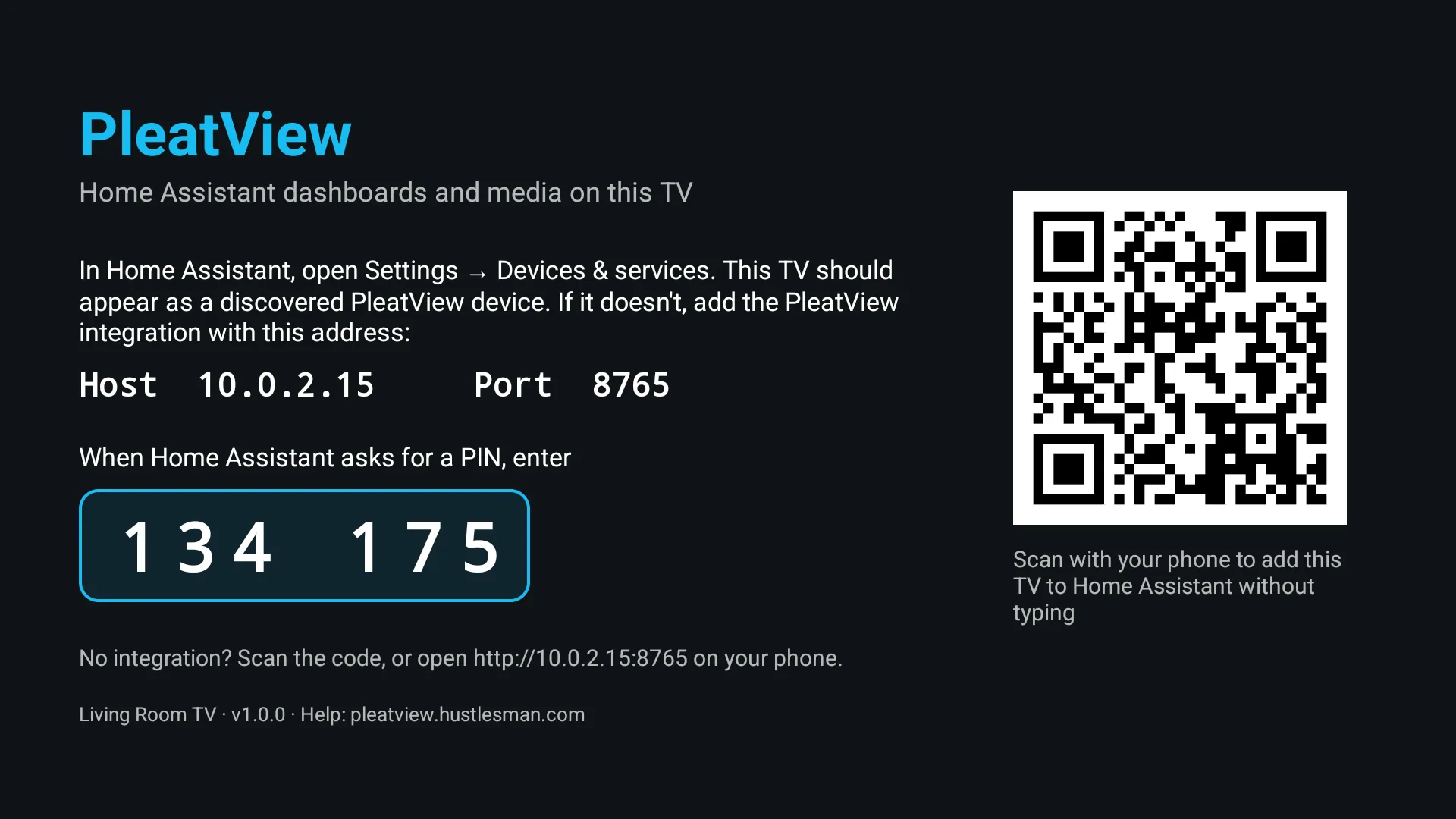
The TV shows its PIN and a QR code. The code opens the TV's own page on your phone, which adds it to Home Assistant without typing.
Using the Marketplace? Until PleatView is in its catalogue, Home Assistant asks you to connect a GitHub account once before it adds PleatView from GitHub.
Each release runs an automated test on a TV, a phone and a tablet against a real Home Assistant. It covers pairing, dashboards, kiosk mode, notifications, video, cameras, Webpage dashboards, sign-ins, standby, restarts, frozen pages and updates.
| Device | Result |
|---|---|
Google TV, Android TV 16Emulator, every release | Compatible |
Fire TV Stick, 3rd generationFire OS 7.7 (Android 9). Pictures in notifications don't animate before Android 10. | Compatible42-hour soak test, no crashes |
Chromecast with Google TV (HD)Android TV 14, 1.4 GB | Compatible42-hour soak test, no crashes |
Google TV Streamer | Planned |
Samsung (Tizen), LG (webOS)As a web app | On the roadmap |
| Device | Result |
|---|---|
Android phones and tabletsAndroid 11 and 16 emulators, Galaxy S23 | CompatibleFrom Google Play in the beta |
ChromebookThe Android app on ChromeOS | Testing |
Ubuntu mini PCIntel or AMD (x86-64) | Beta |
Raspberry Pi 4 and 5Raspberry Pi OS, 64-bit | Beta |
iPhone and iPadIn Safari, then as an app | On the roadmap |
| Version | Result |
|---|---|
| 2026.11Current release | CompatibleInstalls from the Marketplace |
| 2026.10 | Compatible |
| 2025.1Oldest supported | Compatible |
Last run on 5 November 2026. The full list of checks is in the test plan.
The app and the integration are on GitHub under the MIT license. GitHub Actions builds, signs and attests each release from its tagged code, so anyone can check where an APK came from.
No cloud service, no account and no tracking. The TV talks to your Home Assistant on your network, and to other sites only when your dashboards show them.
Passwords for web dashboards are encrypted with the TV's keystore, offered only to their own site, and never sent to Home Assistant. Read the privacy policy.
PleatView is free, and every feature stays free for everyone. If it's useful to you, chip in towards test devices and app-store fees. Bug reports and ideas help just as much. Donations go through Stripe and show as Hustlesman on your statement.